Migrate from AiSensy
Display name and template approvals travel with the number when the BSP changes, so the opt-out list has to land before any send.
48 hours typical
Suppression first. DNS last. Keep the old platform read-only for 72 hours.
Number
Start the BSP migration with the display name and template approvals. Do not cancel the old BSP before the new number is verified.
Contacts
Export contacts and opt-out state. Import the suppression list before the first campaign.
Templates
Resubmit templates; categories and variables must match. Keep the old template IDs for the transition.
Cutover
Test with a seed list, switch webhooks and API keys, keep the old BSP read-only for 72 hours.

The short version
- WhatsApp is the hard part and the number is the hard part of the hard part. Do not cancel the old provider until the new number is verified and sending.
- Templates are not copied, they are resubmitted. The category and the variable positions must match, and Meta decides, not either vendor.
- Export contacts and opt-out state, then load the suppression list as its own verified step before the first broadcast.
- One number cannot send from two providers at once, so parallel running is a test number and a seed list, not two live broadcasts.
- Keep the old dashboard read-only for 72 hours. Cancelling on cutover night removes the only cheap way back.
- The data move takes an afternoon. The template library, the chatbot rebuild and the number transfer are what turn this into a one to two week project.
Why a WhatsApp migration is a different kind of project
An email migration is mostly your own data moving between two systems that both speak SMTP. A WhatsApp migration is a negotiation with a platform you do not control, conducted through a reseller. The phone number is registered against a business account, the business account sits under a provider, and the templates that make outbound messaging possible are approved by Meta against rules that neither the old provider nor the new one can waive. You are not moving a list. You are moving a registered identity and its permission to speak.
That changes the order of work. In an email migration the domain is the risky asset and contacts are routine. Here the number is the risky asset, templates are the long lead item, and contacts are genuinely the easy part. Teams that start by importing contacts feel productive for two days and then discover that nothing can be sent, because the number is not verified and the templates are still in review. Start with the two items that depend on other people, then do the data while you wait.
It also changes what a realistic timeline looks like. The number transfer and the template queue both run on someone else’s calendar, and neither responds to escalation. A project that starts both on day zero usually finishes in under two weeks. A project that starts them after the data is loaded usually finishes in three, and the extra week is spent explaining why the campaign that was supposed to go out on Friday did not. Sequence is the whole discipline here.
Inventory: the five lists to pull from the current dashboard
Before you export anything, write down what you are running. Five lists cover almost everything. Active templates with their category, language and variable count. Automations and chatbot flows with their trigger and their last edit date. Tags and custom attributes, including the ones nobody remembers creating. Team members, roles and any number routing rules. And integrations: every webhook, API key, Shopify app or CRM connector that currently receives or sends data through the account.
The inventory has a second purpose beyond planning. It is your proof of scope when someone asks on day nine why a flow nobody mentioned is still not rebuilt. Screenshot the automation list and the template list with their statuses, because both will change during the migration and the screenshots become the reference. If a template is already rejected or paused, mark it that way rather than carrying a dead item into the new library.
Anything you cannot see in the dashboard is worth a note too. A developer may have wired a webhook years ago that still feeds a spreadsheet somebody opens every Monday. The migration will break it, and the person who notices will be the one who owns the spreadsheet, not the one who owns the platform. Ask the team which reports they read, then trace each one back to a source. That conversation finds more integrations than the settings page does.
Moving the number without losing the display name
The number and the display name are one asset in practice. Customers recognise the name in the chat list, and a migration that keeps the digits but changes the name looks like a different business. The display name is reviewed as part of the number’s registration, so the name you submit should be the name you already use and can evidence with your business documents. Changing both the provider and the name in the same week gives reviewers two reasons to ask questions.
The operational rule is simple and non-negotiable: do not cancel the old provider before the new number is verified. Cancelling first, then discovering that verification needs a document you cannot produce, leaves you with no outbound WhatsApp at all. Keep the old account funded and active through the transfer, and treat the old provider’s cancellation as a separate task with its own date, at least three days after the first successful production send from the new setup.
Expect the transfer to need a verification step you cannot do alone, usually a code to the number or a confirmation from the current provider. Schedule it for a weekday morning with the person who controls the phone in the room, not for a Friday evening. The exact steps and documents depend on the current provider and the business account configuration, so verify the current transfer procedure in the vendor dashboard before you commit to a date, and keep the confirmation screenshots.
Template re-approval, category by category
A template is not a document you own; it is a permission you were granted. Moving providers means the permission is granted again, by the same reviewer, against the same category rules. That is why the category has to match. A message that was approved as a utility update and is resubmitted as marketing will be judged by marketing standards and may be rejected for sounding promotional. A message resubmitted with a different number of variables will be rejected outright because the placeholder count no longer matches the body.
Sort your library into three piles before you resubmit anything. Messages that confirm something the customer did, such as an order, a booking or a payment. Messages that carry information the customer needs about an ongoing service. And messages that are, in plain language, offers. The first two are cheaper to send and easier to approve; the third is where rejection and per-message cost live. On LoopNow’s published rates the difference is visible: marketing messages are billed at one rupee fifteen and utility or authentication messages at twenty-two paise.
Resubmit in order of business criticality rather than alphabetically, and keep the old template IDs written down while the transition runs. Some messages already in flight reference the old IDs, and support staff may need to match a customer’s screenshot to a template name. Do not try to migrate a hundred templates. Most accounts use fewer than fifteen in a normal month; the rest are archive, and rebuilding archive is how a two-week project becomes a two-month one.
Contacts, tags and the opt-out state that must travel first
The contact export is the part everyone thinks is finished on day one, and it is where the quiet failures live. Export the identifiers you will match on, the attributes you actually use in a template, the tags that drive segmentation, and the opt-out state. Then check the export against the dashboard counts. A gap of a few percent is normal, usually duplicates or malformed numbers; a gap of twenty percent means a filter was applied and nobody noticed.
Opt-out state is not a tag, and it must not be treated as one during the mapping. In the old platform a person who replied STOP may be marked in a field, excluded from a segment, or both. In the new system that state has to become a suppression record that the send path checks before every message, not a filter that a campaign builder might forget to apply. If the only evidence of an opt-out is a tag called do-not-send, assume it will eventually be missed and convert it into a hard suppression.
Phone numbers deserve their own pass. Normalise to a consistent country code and digits-only format, drop landlines and obvious fakes, and decide what to do with duplicates where the same person appears with and without the country prefix. Doing this before import means the suppression match works. Doing it after means you have already sent to people who asked you not to, and no amount of cleanup undoes the complaints.
Rebuilding chatbot flows as workflows
Chatbot builders think in trees. A customer enters at a menu, picks a branch, and the branch asks the next question. That model is easy to author and hard to maintain, because every new case adds a branch and after a year nobody can read the tree. A workflow thinks in terms of a trigger, some context, a decision and an outcome written back somewhere. The customer experience can be identical. The difference is that the workflow can call a tool, wait for a human, and record what happened, which is what support teams actually need.
Rebuild the three flows that carry the most conversations, and leave the long tail paused rather than deleted. Pick them by message volume rather than by how clever they are, because volume is what pays for the rebuild. For each one, write the happy path, the three most common deviations and the escalation rule on a single page before touching the builder. That page becomes the test script, and the test script is what stops a rebuild from becoming a reinterpretation.
Expect two things to break. The first is memory: a flow that remembers a choice across two days needs that state stored against the contact, not inside a session. The second is the interaction surface, because the buttons and list options available in a WhatsApp message are limited by the platform, so a menu with six options has to become two steps or a free-text question with validation. Neither break is hard to fix, but both are invisible until you try to reproduce the old behaviour exactly.
Webhooks, API keys and the systems behind them
A WhatsApp account is rarely just a messaging account. It is wired into an order system, a payment status check, a CRM and somebody’s spreadsheet. Every one of those connections is a place where the migration can fail silently. Before cutover, list each integration with three facts: what event it listens for, where it posts, and what happens downstream when the payload arrives. If nobody can answer the third question, that integration is a candidate for switching off rather than migrating.
Two failure modes deserve specific attention. Duplicate delivery happens when both the old and the new platform post the same event during the overlap, so the receiving system has to be idempotent or the customer gets two shipping notifications. Lost delivery happens when a webhook endpoint is changed but the old endpoint keeps returning success, so failures are invisible. Verify signatures on inbound webhooks, log every payload for the first week, and make the receiver reject rather than swallow a malformed event.
API keys should be rotated in a defined order: create the new key, deploy it to the calling system, confirm it works in production with a real call, then revoke the old key. Doing it the other way round produces an outage that looks like a platform problem. Keep the old key valid for the overlap window and write down who can revoke it, because the person who set it up two years ago may have left.
Parallel running when one number sits in one place
Email migrations can run two senders against the same domain and compare results. WhatsApp cannot, because the number is registered in one place at a time. That constraint changes what rehearsal means. You rehearse on a separate test number with the same display name conventions, the same templates and a seed list of staff phones, and you compare the experience rather than the volume. The production number moves once, at a moment you choose, and there is no version of the plan where both platforms answer the same customer.
Use the test number properly. Send every template in the library, not a sample, and check how each one renders on an Android phone, an iPhone and a device with a small screen. Read the notification preview, because that is what most customers see first. Reply to your own messages and confirm the handoff reaches a human in the new inbox. This is the cheapest week of the project, and skipping it is how the first production template turns out to have a truncated variable.
Agents need rehearsal too. A new inbox with different keyboard shortcuts, a different assignment model and a different idea of what closed means will slow a team down for a week. Run one shift on the test number with real staff and synthetic conversations, and let them complain. Fixing the routing and the canned responses before cutover costs hours; fixing them while customers wait costs reputation.
Cutover day, in order
Cutover is a sequence, not a switch, and the order is what keeps it boring. Start by freezing outbound campaigns at a stated hour and telling the team when they will unfreeze. Confirm the suppression list is loaded and matched, and check the count out loud against the export. Then move the number, verify it, and send a single message to an internal list before any customer receives anything. Only after that message arrives correctly do you unfreeze the first campaign, and you send it to the smallest segment that still tells you something.
Webhook and key changes come between the number move and the first campaign, in that gap where nothing is sending. Add the new endpoint, deploy the new key, send the test, watch the logs, then revoke the old key. If an integration fails, you want to find out on an internal message rather than on a festive offer to eleven thousand people. Keep the old provider’s dashboard open in a tab and read-only, not cancelled, and note the timestamp of every step so the log is complete.
The one thing not to do is bundle the cutover with a new campaign. A migration and a festive launch on the same day means two variables and no way to attribute a failure. Launch the campaign a week later, from a platform you have already seen work. The business will survive a seven-day delay far more comfortably than it will survive a broadcast that goes out twice or not at all. If commercial SMS is part of the mix, note that its DLT header and template registration is unrelated to the WhatsApp transfer and takes days of its own, so it must be finished before that channel moves rather than after.
What this costs in hours, not rupees
The subscription line is the easy part to compare and the least interesting. LoopNow Starter is two thousand nine hundred and ninety-nine rupees a month plus eighteen percent GST and includes one thousand WhatsApp messages; Growth includes five thousand and Scale twenty thousand, with overage at one rupee fifteen for marketing and twenty-two paise for utility or authentication. Model your festive peak against those allowances rather than your average month, because WhatsApp volume is spiky in a way email volume usually is not. Conversation data sits in AWS Mumbai, ap-south-1, which is the sentence a procurement reviewer is usually looking for.
The harder cost is hours, and it should be budgeted in the same conversation. Exporting and cleaning contacts is an afternoon. Writing and resubmitting a template library of fifteen live pieces is a day or two, plus whatever review time Meta takes. Rebuilding three chatbot flows with test scripts is three to five days. The number transfer is mostly waiting. Add a day for webhook and key work and a day for the 72-hour watch, and a small team is looking at seven to ten working days of somebody’s attention.
What you should not do is pay twice for the same capability out of habit. If the old platform was only ever used for broadcasts, the new stack will replace it outright. If it also ran a team inbox that your support staff live in, check that the replacement inbox is genuinely usable before you cancel, because a cheap migration that costs an agent two minutes per conversation is not cheap. That check is a morning of work and it is the one most teams skip.
The first 72 hours, and where the rollback line is
Watch four numbers for three days: delivered, read, replied, blocked. Delivery failures usually mean a template or a number problem and show up within the first hour. A fall in read rates without a fall in delivery usually means the message is arriving but the first line is not earning the tap. Replies tell you whether the routing works, and blocks tell you whether the audience was as opted-in as the import suggested. None of these need a dashboard; a spreadsheet with a row per day is enough.
Then watch the things that are not numbers. Are template rejections arriving for messages you thought were approved. Is the quality rating holding. Are agents complaining that conversations arrive without context. Is the CRM receiving notes, or is the record still empty. A single afternoon of reading real transcripts teaches more than a week of metrics, and it is the step that gets skipped when the team is tired and the migration is nominally done.
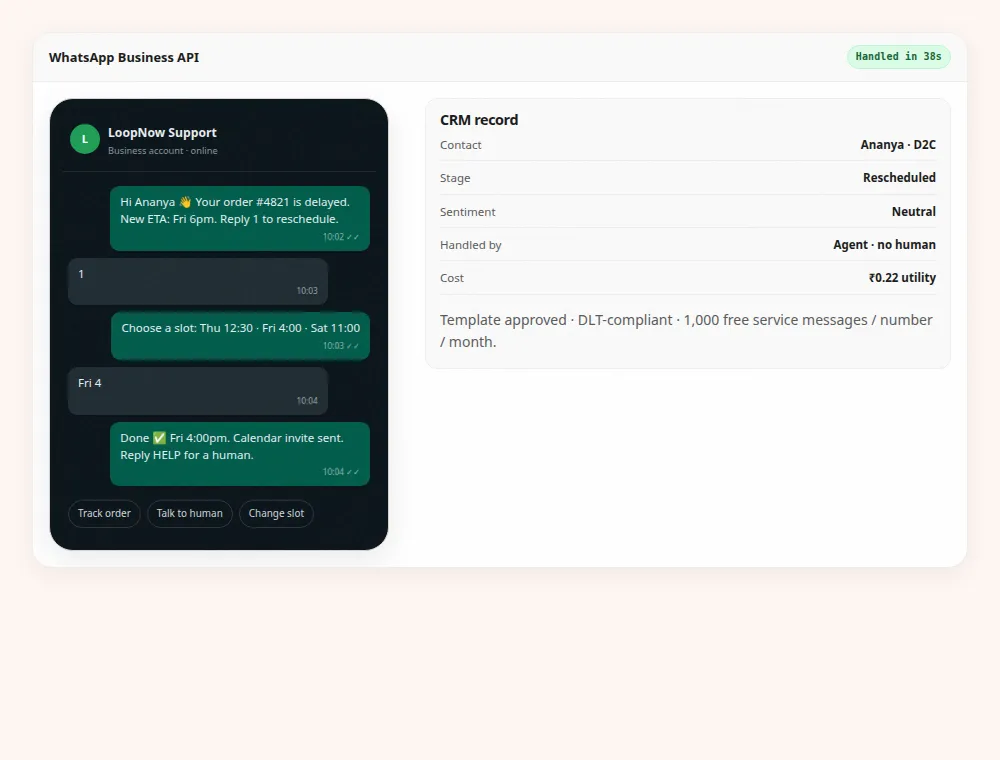
The rollback line sits at 72 hours for a practical reason: after that, enough production traffic has moved that going back is a second migration rather than a reversal. Publish the line and the decision-maker before cutover. Rolling back does not mean the project failed, and rolling forward does not mean it succeeded; both are just choices, and a team that has pre-agreed which metric triggers which choice will make it in ten minutes instead of three days.
Frequently asked questions
Can I keep my WhatsApp number when I move providers?
Yes, moving the number is the normal path, and the display name travels with it through the same review. The rule that matters is ordering: do not cancel the old provider until the new number is verified and has sent at least one production message. The exact documents and verification steps depend on your business account configuration, so confirm the current procedure in the vendor dashboard before you set a date.
Will my approved templates survive the move?
No. Approval is granted to a template inside a specific business account, so templates are resubmitted to Meta and reviewed again. The category and the variable positions must match the original, or you invite a rejection. Rebuild the templates you actually send in a normal month, keep the old IDs for reference during the transition, and treat the rest of the library as archive.
How long does the whole migration take?
Plan for one to two weeks of elapsed time. The 48-hour figure quoted elsewhere on this site covers the data, domain and first-campaign work on an account with nothing to rebuild. The number transfer and template review are the long items here and neither can be compressed by paying more. Rebuilding three chatbot flows with test scripts is the largest block of real work, usually three to five days.
What happens to opt-outs recorded with the old provider?
They must become suppression records in the new system, not tags. Export them, normalise the phone numbers, load them before any contact is imported, and run a match report. A person who replied STOP has withdrawn consent, and a message after that is both a platform policy problem and a DPDP problem. Test with one suppressed staff number to prove the send path honours it.
Can both platforms run at the same time?
Not on the same number, because a number is registered in one place at a time. Rehearse on a separate test number with the full template library and a seed list, then move production once. During the overlap the old account stays active and read-only so you can read history and support a customer who replies to an old thread, but it should not be sending.
What does the platform cost after migration?
Starter is ₹2,999 a month plus 18% GST with 1,000 WhatsApp messages included; Growth is ₹7,999 with 5,000 and Scale is ₹24,999 with 20,000. Overage is ₹1.15 per marketing message and ₹0.22 per utility or authentication message, and the spend cap is on by default. Conversation charges set by Meta are separate from any platform fee.
What cannot be imported?
Conversation history, per-message event logs, the old chatbot’s flow graph and any proprietary scoring or tagging logic. Transcripts can often be exported for your records, but they arrive as text rather than as a working inbox. Everything behavioural has to be rebuilt, which is why the plan budgets days for flows rather than treating them as data.
Do I need DLT registration for this migration?
Not for WhatsApp itself. DLT applies to commercial SMS in India, where you need a registered header and registered templates. If your old stack also sent SMS, that registration is separate work with its own three-to-seven day lead time, and the header has to permit the new sender. Confirm with your telecom operator or DLT registrar rather than assuming the existing registration covers a new platform.
How do we handle GST invoices during the switch?
Add your legal name, address and GSTIN to the billing profile before the first payment so the invoice is claimable as input credit. Keep both providers’ invoices for the overlap month. If you move to annual billing for the twenty percent discount, do it after a quarter of real volumes so the plan tier matches your peak week rather than your first quiet one.