Migrate from Klaviyo
Shopify catalog sync is verified first, then abandoned cart, welcome and post-purchase flows are rebuilt and measured against the old baseline.
48 hours typical
Suppression first. DNS last. Keep the old platform read-only for 72 hours.
Export
Export profiles, lists, segments, flows, templates and suppression state.
Shopify
Reconnect the Shopify store and verify catalog/order sync before importing flows.
Flows
Rebuild abandoned cart, welcome and post-purchase first. Measure against the old baseline.
Cutover
Switch the sending domain and API keys. Keep the old flows paused for 72 hours.

The short version
- A Klaviyo account holds four things that behave differently in a migration: profiles, events, segments and flows. The first two move as data; the last two are rebuilt by a person who understands why they exist.
- Reconnect Shopify and prove the catalog and order sync with a real test order before a single flow is rebuilt. Every abandoned-cart message depends on that connection being correct.
- Rebuild abandoned cart, welcome and post-purchase first. Put the remaining flows in a dated backlog, because rebuilding the long tail before cutover is how ecommerce migrations lose a quarter.
- Consent and suppression are the legally weighted part. Under DPDP you need a record of who agreed, to what purpose, when and through which notice — a purchase is not consent for marketing.
- The sending domain needs authentication and a warm-up measured in days, not hours. That is calendar time nobody can compress by working weekends.
- Imports carry contact records with consent and suppression flags. Flow logic, predictive properties and historical event streams do not come across, and any plan that assumes otherwise will slip.
A Klaviyo account is four systems wearing one logo
Klaviyo presents itself as a single product, and in daily use it feels like one. Underneath, an account holds four different things: a profile store, an event stream, a segmentation engine and a flow engine. The first two are data and can be moved. The last two are logic and have to be rebuilt by somebody who understands what they were for. That distinction decides most of a migration calendar, because moving data is an afternoon and rebuilding logic is a week or two of somebody’s attention.
The mistake we see most often is treating the export as the migration. A team downloads profiles, imports them, sends a campaign, and finds three weeks later that the welcome series still points at a template with a broken product feed, or that the abandoned-cart flow fires for orders that were already collected. The export never contained the flow. It never contained the reason the flow existed either, and that reason is the part worth writing down while the old account is still live. Once the account is read-only, the only remaining record is somebody’s memory of a campaign that worked two years ago.
So start by naming the four systems out loud in a room with the people who run them. Who owns the profile data, who owns the event taxonomy, who owns segment definitions, who owns each flow. Four owners, four workstreams, one cutover date. When a migration stalls, it is almost always because one of those owners was never invited to the kickoff and their part of the work surfaced in week three.
- Profiles and custom properties: data, exported and imported with consent flags attached.
- Events and order history: data in principle, but usually left behind and referenced only for reporting.
- Segments: logic, rebuilt as conditions against the new field set.
- Flows: logic, rebuilt by hand, three of them before cutover and the rest afterwards.
The inventory sheet that sets your calendar
Build a spreadsheet before you build anything else. Six columns are enough: what the asset is, where it lives, who owns it, whether it is data or logic, where it is going, and how you will prove it arrived. The last column is the one teams skip, and it is the one that turns a hopeful migration into a checkable one. Proof can be a row count, a screenshot, a seed inbox that received the right message, or a test order that produced the right event.
Count everything, including the things you intend to abandon. Profile counts, list counts, segment counts, active flow counts, template counts, and the number of custom properties that are actually populated rather than merely defined. A property that exists on four hundred profiles out of ninety thousand is a decision to make, not a column to port. Do the same for segments: a segment with no flow attached and no campaign in the last year is a candidate for deletion, and deleting it now saves you from rebuilding it badly later.
Then check the number that affects your bill rather than your calendar. LoopNow counts marketing contacts, meaning subscribed, unmuted and mailed in the last twelve months. Unsubscribed and suppressed contacts are free and unlimited. If your Klaviyo profile count includes five years of one-time buyers who never opened anything, the plan you need may be smaller than the raw export suggests, and the suppressed portion of your list should be imported for compliance reasons without worrying about allowance.
Reconnect the store before you rebuild anything
Every ecommerce flow in the account depends on the store connection being correct, and the connection is upstream of everything else. Reconnect Shopify to LoopNow and verify the catalog and order sync before importing flows, exactly as the migration sequence in our own notes says. Catalog means product identifiers, variants, prices and availability. Order sync means the events that trigger flows: order placed, order fulfilled, order cancelled, refund issued. If the identifiers differ, a product block in a rebuilt template will render an empty grid and nobody will notice until a customer replies to ask what they were supposed to buy.
Test with a real order, not a preview. Place a low-value order in the store, pay for it, let it flow through fulfilment, and watch what arrives in the new workspace. Then place a cash-on-delivery order, because COD is the case that breaks imported flows most often: the order is confirmed, the payment is not captured, and the post-purchase sequence needs to branch. A flow built against a test event that skipped payment will behave differently from one built against the real thing, and the difference usually appears in the message that asks a customer to review a product they have not received.
Only after that test order behaves correctly should anyone touch the flow canvas. The order of operations is not bureaucratic. It is the difference between debugging a template and debugging a data pipeline while a customer waits.
Consent, purpose and the record that proves both
Under the DPDP Act, marketing mail needs more than an address and an unsubscribe link. It needs a lawful basis, a notice that told the person what their data would be used for, and a record that lets you answer the question of when and how they agreed. That record is what we mean by a consent ledger: one entry per contact, carrying the purpose, the channel, the notice version and the timestamp, kept alongside the profile rather than in a spreadsheet that finance discovered during an audit.
Migration is where that record usually gets destroyed. A team exports a list, imports it into a new tool, and the new tool sees a row with an email address and no history. Six months later, a data principal asks for the basis of the messages they received, and the honest answer is that the list arrived as a file. Do not let that be your answer. Export the consent state you have, map it into the new ledger, and mark the ambiguous rows as ambiguous rather than silently upgrading them to subscribed.
Three buckets make the mapping tractable. Explicit opt-in with a date and a source is clean and imports as consent. Unknown provenance, typically a purchased or inherited list, imports as suppressed until somebody can re-permission it properly. And any contact with an unsubscribe, a hard bounce, a complaint or an erasure request imports as suppressed regardless of what the export says, because those signals outrank a marketing preference every time.
Channel-level consent is the part that surprises Indian teams. Moving a WhatsApp number to a new provider means every template has to be approved again on the destination business account, and approval runs on its own clock, so it belongs in the plan rather than in cutover night. SMS is a separate registration layer: commercial messages need a registered header and pre-approved templates on the DLT platform, and the consent purpose attached to the number has to match the template you actually send. Neither rule is specific to LoopNow. Both are prerequisites for sending at all, and both fail silently if you assume the old account’s approvals travel with the contact list.
- Keep the notice version and the collection point for every consenting contact, not just the date.
- Carry unsubscribe, bounce, complaint and erasure state across as suppression, never as a field a marketer can overwrite.
- Propagate an erasure request to every channel, including WhatsApp and voice, not only email.
- Record who performed the import and when, so the ledger has an operator trail as well as a contact trail.
Three flows first, the rest later
Rebuild the three flows that carry the most revenue and the most risk: abandoned cart, welcome, and post-purchase. Those three cover the moments where a missing message is visible to a customer within minutes. Everything else — browse abandonment, winback, sunset, birthday, VIP tiers, replenishment reminders — goes into a backlog with a date, an owner and a rough effort estimate. This is not a compromise on quality. It is the only sequence that gets a store onto a new stack before the next festive season.
Budget the work honestly. A simple abandoned-cart flow with one wait step, one email and one WhatsApp nudge is two to three days including template QA and seed tests. A welcome series with three messages and a branch on first-time versus returning buyer is around a day if the templates already exist and two if they do not. Post-purchase with a review request and a COD confirmation branch is another two days. Segment rebuilds and template porting each take an afternoon per handful of items. None of these numbers include the warm-up, which is calendar time rather than effort.
Decision latency is the hidden cost. Every flow you rebuild needs somebody to approve the copy, the offer and the timing, and that person is usually the founder or the head of growth, who is also running the festive calendar. Book their review slots in the same week you book the build, or the build finishes and then waits four days for a yes.
The rebuild is a translation, not a copy
A flow definition reads as a list of sentences: when this happens, wait this long, check this condition, send this message, then branch. Rebuilding it means writing those sentences again in a canvas that may model time, filters and exits differently. Do it with the old flow open on a second screen and a notebook beside you, and write down the intent of each step before you drag anything. The step that says wait four hours usually exists for a reason somebody remembers, and that reason is often that the fulfilment system takes three hours to confirm the order.
Translate in this order: trigger, filter, delay, message, branch, exit. Triggers map to events, and the event names in the new workspace should be the ones your store actually emits after the test order. Filters map to conditions on profile and order data, and every filter you cannot express should be written on a list of gaps rather than quietly dropped. Delays map to waits, but check whether the new canvas counts in hours or in business hours, because a four-hour wait that skips weekends changes the customer experience on a Friday evening order.
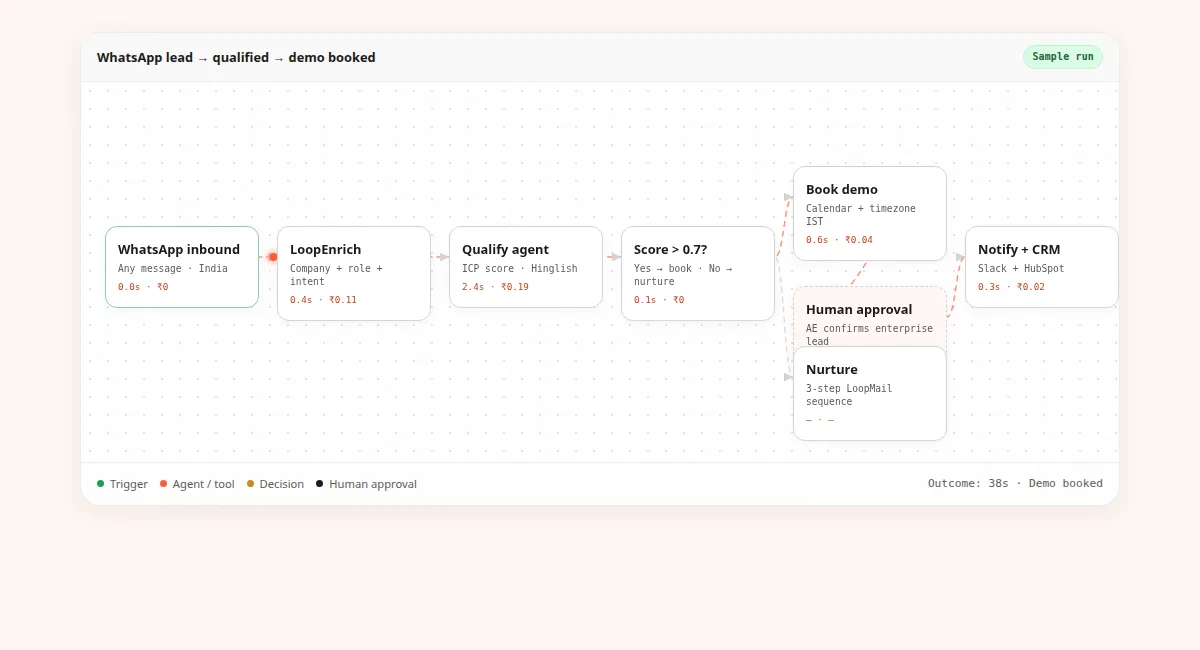
Branches are where translations drift. A branch on order value, a branch on first purchase, a branch on COD versus prepaid: each one needs a test case that proves both sides run. And each flow needs an exit condition, so that a customer who buys while the cart flow is waiting does not receive a reminder for a purchase they already completed. That single exit rule prevents the most common complaint after an ecommerce migration.
Segments and templates: rebuild the query, then the render
A Klaviyo segment is a saved query over profiles and events. A LoopNow segment is also a condition set, but the field list differs, so the translation is rarely one-to-one. Start with the segments that feed a live flow or a monthly campaign and ignore the rest. For each one, write the question it answers in plain language — customers who bought twice in ninety days and never opened a WhatsApp message — then rebuild that question against the fields you actually have.
Some conditions will not survive. Predictive properties are the obvious example: a score that has been trained on a large retail dataset is not a field you can copy into another product, and our comparison pages are explicit that Klaviyo’s ecommerce depth and predictive analytics are best in class. If a flow depends on a predicted lifetime value threshold, the honest options are to replace it with a simpler behavioural rule, to run it from a data warehouse and push the result in as a field, or to leave that flow where it is until the replacement is proven.
Templates are the part everybody thinks is easy, and the part that produces the most support tickets in week one. Build a translation table for merge tags before you touch the editor: old tag on the left, new field on the right, a note about what happens when the field is empty. The empty case matters more than the happy case, because a first-name tag that resolves to nothing produces a greeting like Hi comma, and that is the screenshot customers post.
Product blocks and dynamic content need the catalog to be correct, which is why the store connection comes first. Check discount codes and coupon blocks separately: a coupon generated by the old platform will not exist in the new one, and a flow that sends a dead code is worse than a flow that sends no code. Links need the same care. Tracking parameters, deep links into the app and the preference centre URL all change when the sending domain changes, and a preference centre that returns a 404 turns an unsubscribe into a spam complaint.
Then run the boring QA, and keep watch on segment drift afterwards. Render every template in Gmail, Outlook and a Rediff inbox, check the plain-text alternative, the sender name, the sender identity in the footer and the unsubscribe link. On the segment side, a rebuilt audience that matches twelve thousand contacts on day one and nine thousand on day thirty is either genuinely behavioural or subtly broken, and only a weekly count tells you which. Put the counts on a dashboard for the first month and treat a sudden divergence as a bug rather than a market signal.
Domain authentication and the warm-up you cannot skip
Authenticate the domain you will actually send from, and prefer a dedicated sending subdomain over the root domain. SPF, DKIM and a DMARC record are the baseline; the exact records come from the workspace, and they must be published in your DNS host rather than in a vendor’s dashboard. If the old platform used a shared sending domain, your reputation does not travel with you, because it was never yours. That is the single biggest deliverability surprise in this migration.
Warming is a schedule, not an activity. Start with the smallest, most engaged slice of the list — the people who opened something in the last thirty days — and increase volume only while bounce and complaint behaviour stays flat. Our timeline below is a conservative shape for a mid-sized list; the actual thresholds live in the sending dashboard and in Google Postmaster Tools, and nobody should quote you a universal number of messages per day. A dedicated IP is not automatically better for a small list, and shared infrastructure is not automatically worse.
Two errors account for most warm-up failures. The first is warming with a campaign, because campaigns go to the least engaged part of the list and the inbox providers learn the wrong thing about you. The second is warming with your best-performing old subject lines and offers, which produces engagement that will not repeat once normal content resumes. Warm with the messages you intend to send for the next year, to the people most likely to want them, and accept that the first ten days are slower than the calendar wants them to be.
A ten-day plan with four checkpoints
Ten working days is realistic for a store with a few dozen flows and a list in the low lakhs, provided the store connection is straightforward and the approver is available. Days one and two are inventory, export, consent mapping and suppression merge. Days three to five are the Shopify connection, catalog import, test order, template translation table and the first flow. Days six to eight are the second and third flows, segment rebuilds and the start of warm-up. Days nine and ten are parallel running, cutover and the rollback rehearsal. Warm-up continues past day ten, which is why campaigns wait.
Four checkpoints decide whether the plan advances. Checkpoint one: the inventory is signed off and every asset has an owner. Checkpoint two: a real test order produced the right events and the right first message in a seed inbox. Checkpoint three: consent and suppression counts reconcile, with a written explanation for every difference. Checkpoint four: the rollback has been executed once, in advance, by the person who would have to do it at midnight. A migration that skips checkpoint four is not planned; it is hoped for.
Write the plan as a table with an owner per day, and put the checkpoints in the calendar as meetings with a named decision maker. The most common schedule failure is not technical. It is a checkpoint that nobody had authority to pass, so the team waited three days for a yes that could have been given on day two.
Parallel running without mailing anyone twice
Parallel running does not mean sending every message from both platforms. It means running the new stack on a defined slice of traffic while the old stack keeps the rest, and comparing outcomes over the same window. The slice has to be chosen so that a duplicate message is impossible: suppressed contacts, internal seed addresses, and report-only flows are safe to duplicate. Anything that sends a coupon, a cart reminder or a welcome message is not.
The comparison itself needs discipline. Pick one segment, one seven-day window and one metric per flow — delivered, opened, clicked, placed order — and compare like with like. An open rate measured after Apple’s mail privacy changes is a weak signal on both platforms, so prefer clicks and orders. If the new flow performs materially worse, the cause is usually a broken link, a rendering problem or a mistimed wait step rather than the platform, and the fix is found by reading the seed inbox rather than by rewriting the copy.
Decide in advance what result would stop the cutover. A welcome flow that delivers, but with a 404 on the offer link, is a stop. A cart flow that sends correctly but converts slightly below the old baseline in a seven-day window is a conversation, not a stop, because seven days is not enough evidence to prove a difference either way. Writing that distinction down before you have the numbers prevents an argument after them.
Cutover, rollback and the 72-hour rule
Cutover is a sequence with a small number of irreversible steps, and the trick is to keep them last. Pause the old flows rather than deleting them. Activate the three new flows for the full list. Lower the TTL on the sending DNS records a day earlier so propagation is measured in minutes rather than hours. Then point the records, watch the first sends land, and keep the old account read-only for seventy-two hours rather than cancelling it. Read-only is the state that lets you compare, export a missing report, or answer a customer question about a message sent last Tuesday.
Rollback needs a definition before it needs a drill. Rolling back means re-enabling the old flows, restoring the previous DNS records, and accepting that any message sent from the new stack stays sent. It does not un-send anything, and it does not restore the old account’s event history. Say that out loud in the cutover meeting, because somebody will assume otherwise. The practical rollback window is the first two hours after DNS changes, when a broken authentication record is still cheap to reverse.
Keep the old API keys alive until the first week’s numbers are reviewed, then revoke them deliberately and record the date. A key that nobody remembers to revoke is an access path that survives the vendor relationship, and it will appear in somebody’s security review six months later with no owner attached.
What comes across, what we rebuild, and what stays
Be precise with your team about the boundary, because optimism here costs more than any technical problem. Contact records, custom fields, consent state, suppression lists and campaign templates come across, with the caveats about fields and rendering described above. Flow logic does not: there is no path in our migration that carries a flow definition from another platform into the canvas, which is why the rebuild is a scheduled task rather than an import. Segments come across as conditions you rebuild, not as saved objects.
Predictive properties, historical event streams and the old account’s reporting do not come across at all. If your board deck depends on three years of cohort charts, export those as files before you close the account, and decide who owns the archive. The same applies to A/B test history: the results are valuable and the data behind them is not portable, so a PDF per significant test is a reasonable cost.
Then close cleanly. Keep the old account read-only for thirty days for report access, confirm the final invoice and the GST treatment with your finance team, and ask the vendor in writing what happens to the data after closure. Under DPDP, the erasure question runs in both directions: your customers can ask you to delete their data, and you should be able to say where it lives, including in an account you no longer use. LoopNow answers the residency half of that question with AWS Mumbai in ap-south-1, which is also the sentence your privacy notice should contain.
Frequently asked questions
How long does a Klaviyo migration actually take?
For a mid-sized Shopify store, ten working days is realistic for export, store reconnection, three rebuilt flows, consent mapping and cutover, with warm-up continuing afterwards. A very small list with two flows can be done in two or three days. Anything with dozens of active flows and a large segment library is a month of part-time work, and the assisted path in our pricing notes is quoted at 48 hours for the parts that are done for you.
Can you import my Klaviyo flows automatically?
No. Contact records, custom fields, consent state and suppression flags import, but flow definitions are rebuilt on the canvas. The logic, delays, filters and exits are specific to the source platform, and a mechanical translation would produce flows that look correct and behave differently. We would rather tell you that now than discover it during your festive season.
Will my sending reputation move with me?
Domain reputation does not transfer between platforms, and if you were sending from a shared domain it was never yours to move. You authenticate your own sending subdomain with SPF, DKIM and DMARC, then warm it from your most engaged segment upwards. Expect the first two weeks to be slower than steady state, and do not schedule a major campaign inside that window.
What happens to unsubscribes and hard bounces?
They import as suppression, not as an editable field. Any contact with an unsubscribe, complaint, hard bounce or erasure request is excluded from marketing sends regardless of any other flag in the file. Suppressed contacts do not count toward the marketing contact allowance, which is why importing them is both a compliance duty and free.
How does DPDP affect a list I built on Klaviyo?
The obligation follows the data, not the tool. You need a lawful basis, a notice that described the purpose, and a record of consent per contact. Where provenance is unclear, import as suppressed and re-permission deliberately rather than treating the import as fresh consent. Our DPDP page describes the ledger and erasure workflow in more detail, and your counsel should confirm your specific notices.
Do I need to rebuild every segment before switching?
No. Rebuild the segments that feed a live flow or a recurring campaign, and leave the rest in a backlog with an owner. A segment nobody has used in a year is a deletion candidate, not a migration task. Track counts weekly for the first month so that a broken condition shows up as a number rather than as a quiet drop in revenue.
What does the migration cost on top of the plan?
Published plans start at ₹2,999 a month plus 18% GST for Starter, ₹7,999 for Growth and ₹24,999 for Scale, with Enterprise from ₹75,000. Migration assistance is discussed on the call rather than priced from a table, because the work depends on flow count. Your real cost is internal time: roughly two weeks of a marketer and a few days of a developer.
Can I keep Klaviyo running while I test LoopNow?
Yes, on a defined slice and never on the same message type. Seed inboxes, suppressed contacts and report-only segments are safe. Welcome, cart, post-purchase and anything carrying a coupon must exist on one platform only, or a customer receives the same offer twice and your discount budget doubles.
What should I check in the first week after cutover?
Delivered, bounced and complaint counts per flow; whether every link resolves on mobile; whether the preference centre records an unsubscribe; whether a COD order follows the right branch; and whether the consent ledger shows the imports you performed. Compare one metric per flow against the old baseline over the same seven-day window before drawing conclusions.